Deadly Escape System Requirements
Minimum specs, platform notes, and macOS 64-bit requirements after Valve's 2024 client update.
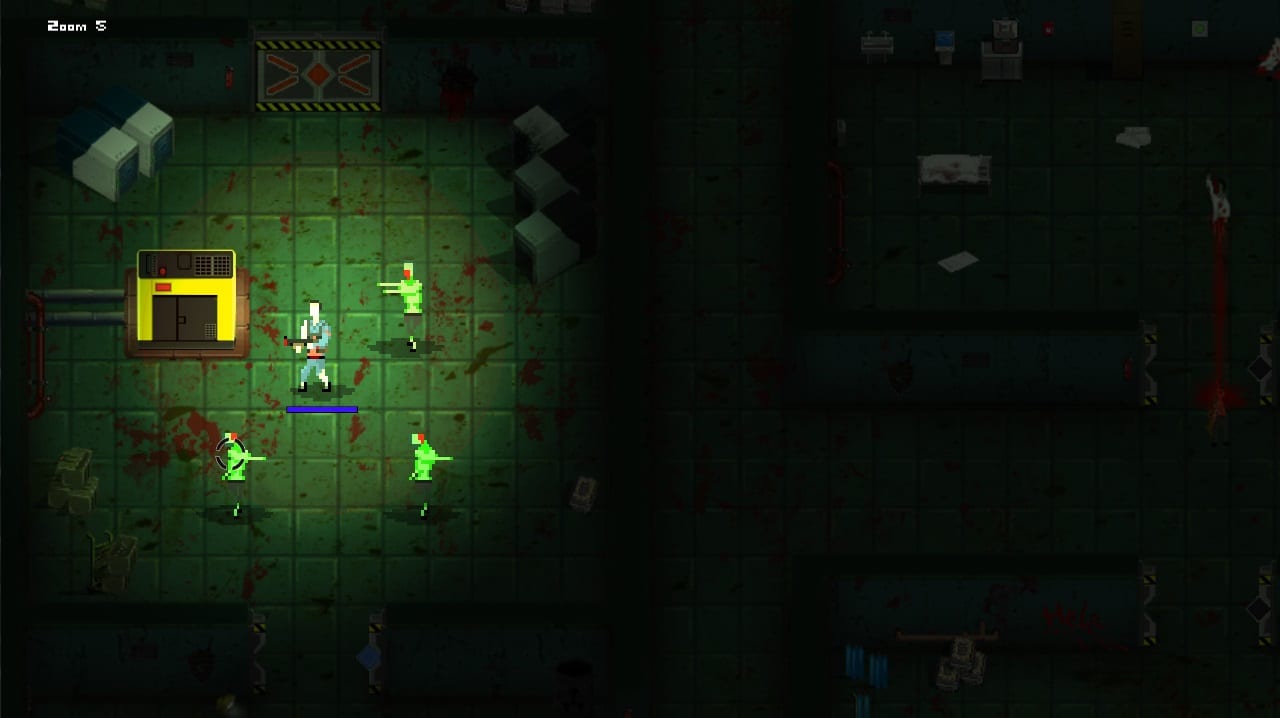
Deadly Escape is a lightweight 2018 pixel survival horror title. Steam lists identical minimum requirements for Windows, macOS, and Linux: a dual-core 3.0 GHz processor, 1 GB RAM, broadband internet for leaderboards, and 500 MB of free storage. There is no recommended spec block on the store page because the game targets modest hardware from its era—not modern ray-traced horror.
This guide translates those numbers into practical buying advice for 2026 players. Pair it with Getting Started for gameplay basics and Patch History for the February 2024 macOS Steam client change that affects 32-bit-only Macs.
Official minimum requirements
| Component | Windows | macOS | Linux (SteamOS + Linux) |
|---|---|---|---|
| Processor | Dual Core 3.0 GHz | Dual Core 3.0 GHz | Dual Core 3.0 GHz |
| Memory | 1 GB RAM | 1 GB RAM | 1 GB RAM |
| Network | Broadband Internet | Broadband Internet | Broadband Internet |
| Storage | 500 MB available | 500 MB available | 500 MB available |
| Graphics | Not listed separately | Not listed separately | Not listed separately |
Ominous Entertainment did not publish a discrete GPU line item. Any integrated graphics from the last decade that runs Steam itself should handle top-down pixel art at modest resolutions. If you struggle with frame rate, lower resolution in the launcher or use windowed mode before blaming hardware.
Language and audio support
Steam lists English only for interface, full audio, and subtitles. There is no in-game language toggle for other locales. Wiki readers using translated pages still play the English executable—plan on reading notes and UI in English during runs.
Windows notes
Windows builds are the most commonly tested path in community discussions. Expect smooth performance on laptops with integrated graphics. Antivirus scans during first launch can cause a one-time stutter; whitelist the install folder if downloads re-verify slowly.
Steam Deck / handheld: The store page shows Steam Deck playtime data. Top-down horror with mouse aim maps reasonably to trackpads or gyro with Steam Input tweaks. Read Controls before judging Deck comfort.
Offline play: Story progression works offline after install. Online leaderboards require connection when submitting scores—see Leaderboards.
macOS notes (important in 2026)
The Steam store system requirements footnote states that starting February 15, 2024, the Steam client no longer supports 32-bit games or macOS 10.14 Mojave and below. Deadly Escape itself was not patched in 2024; this is a Valve platform policy, not new Ominous Entertainment content.
What that means:
- Modern 64-bit macOS with an updated Steam client should still launch the game if the build is 64-bit compatible.
- Legacy Mac hardware stuck on 32-bit-only macOS may lose Steam access entirely—not just this title.
- Achievements earned on Mac before the change remain on your Steam profile.
If trophies fail to pop after a macOS upgrade, validate game files in Steam, confirm you are on a supported OS version, and retry on Windows or Linux to isolate platform issues.
Linux notes
Native Linux builds ship alongside Windows and macOS. Proton is usually unnecessary—install the Linux depot first. Wayland versus X11 rarely matters for SDL-style indie titles, but if input feels stuck after alt-tab, click the game window to restore focus as noted in Controls.
Storage and install size
Five hundred megabytes is tiny by modern standards. SSD versus HDD makes little difference for load times in a single-chapter horror. Leave extra space for Steam screenshots and cloud saves.
Network requirements
Broadband is listed because Steam leaderboards upload completion times. Single-player story does not require always-online DRM beyond Steam itself. Family Sharing users inherit the same technical requirements on their machine.
Mature content and accessibility
The store lists pixelated violence and gore. No separate ESRB block appears on Steam, but Brazilian and German rating descriptors on the store mention language and horror themes. Adjust brightness in options if dark infirmary halls strain your eyes—see Infirmary Map.
Controller support was requested in 2018 forum threads; keyboard and mouse remain the documented default in Controls.
Will my PC run it?
If your machine runs Steam and other 2D indie games, Deadly Escape is unlikely to be the bottleneck. Worry more about expectations than specs: the game is a two-chapter, ninety-minute experience—not a AAA showcase.
| Scenario | Verdict |
|---|---|
| Office laptop from 2016+ | Should run fine |
| Steam Deck | Playable with control tweaks |
| 32-bit-only macOS | Unsupported after 2024 client rules |
| Linux mint box | Native build preferred |
| Potato PC below dual-core 3 GHz | May stutter; try windowed low res |
Related pages
- Getting Started — first-hour walkthrough
- Controls — keyboard, mouse, Mac, Linux tips
- Leaderboards — online scoreboards need network
- Patch History — May 2018 last patch, macOS 2024 note
- Bundles & Deals — Undead Bundle and Ominous Bundle pricing
Deadly Escape asks little of your hardware but plenty of your nerves. Confirm your platform meets the 2024 Steam client rules, then dive into the infirmary.
Frequently Asked Questions
Quick answers to the most common questions.
What are the minimum PC specs for Deadly Escape?
Dual-core 3.0 GHz CPU, 1 GB RAM, 500 MB storage, and broadband internet. The same minimums apply to Windows, macOS, and Linux on Steam.
Does Deadly Escape work on Mac after 2024?
Yes on 64-bit macOS versions supported by the current Steam client. 32-bit macOS and macOS 10.14 or lower are no longer supported by Steam itself.
Do I need a dedicated GPU?
Steam does not list a GPU requirement. Integrated graphics on modern PCs typically handle the pixel-art top-down presentation without issue.
Can I play offline?
Yes for the single-player story after installation. Leaderboard submissions require an internet connection when you finish a timed run.